Inspect any HTML file. Like a Pro.
A powerful, browser-based HTML inspector that lets you analyze and inspect any HTML file directly in your browser. Just open .html and inspect without DevTools.
A simple tool designed for everyone.
From zero to inspection in 60 seconds.
Sign in, drop any HTML file and instantly inspect spacing, typography, colors, and contrast — no setup, no DevTools required.
Four tools, always within reach.
A draggable pill with four icon tools that appears when your HTML loads — drag it anywhere, and hover any button for a tooltip.
Enable Inspector
Hover over any element to see a live blue highlight overlay with detailed info. Keyboard shortcut ( I )
Measure Mode
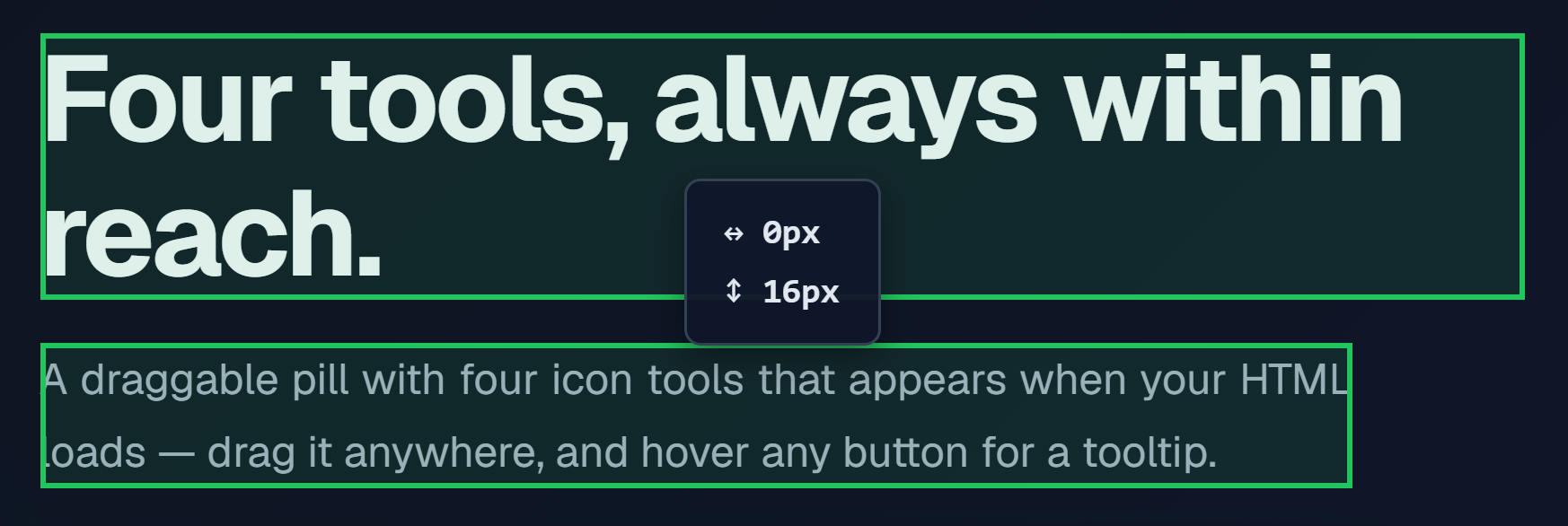
Click any two elements to see the pixel gap (↔ horizontal, ↕ vertical). Keyboard shortcut ( M )
Keyboard shortcuts
Open the full keyboard shortcuts overlay to view all available actions and their bindings. Shortcut ( ? )
Load new html
Open a new HTML file for inspection. Each upload counts toward the Free plan 5-file limit. Keyboard shortcut ( L )
Calibrate any element, down to the pixel.
Hover to reveal spacing, typography, colors, contrast, and the full box model — every tool computed live right inside the page.
Example: #bento-grid > div.feature-card:nth-child(1)
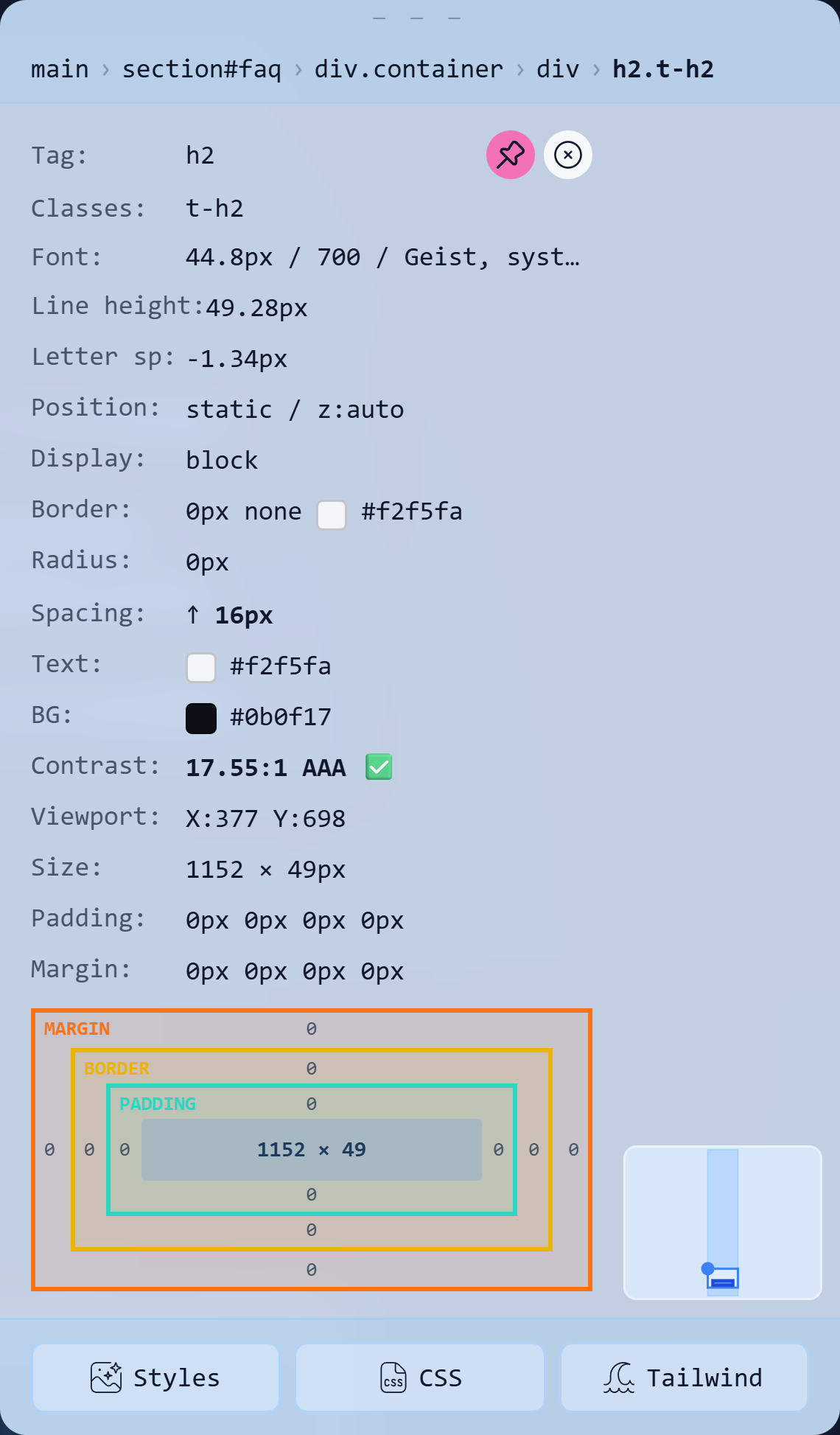
Export in the language you already write.
Computed CSS, a ready-to-use class, or Tailwind utilities — pick what fits your stack and it's on your clipboard in one click.
Tag: pre
Classes: code-block
Font: 11.2px / 400
      / "DM Mono", ui-monospace, monospace
Line height: 19.04px
Position: static / z:auto
Display: block
Border: 0px none #71717A
Radius: 0px
Overflow: auto
Text: #71717A
BG: #ffffff
Contrast: 7.58:1 AAA
Size: 244 × 165px
Padding: 16px 16px 16px 16px
Margin: 0px 0px 0px 0px
.code-block {
  display: block;
  font-size: 11.2px;
  font-weight: 400;
  font-family:
    "DM Mono", ui-monospace, monospace;
  line-height: 19.04px;
  color: #71717A;
  padding: 16px;
  overflow: auto;
}
text-[11.2px]
font-normal
text-slate-600
p-4
w-[243.554px]
h-[165.292px]
overflow-auto
Precision spacing. Click two elements.
Select any two elements and get the exact horizontal and vertical distance — both boxes stay pinned and scroll-synced.
One tool for every part of the workflow.
Whether you design, build, or test, Calibrly gives you the exact measurements
and computed styles you need — right on the page, no DevTools required.
For Designers
- Verify spacing and alignment with pixel-perfect gap measurements
- Check color contrast for accessibility compliance (WCAG)
- Calibrate exact pixel dimensions of any element
- Export designs directly to CSS or Tailwind
For Developers
- Debug layout issues without opening DevTools
- Calibrate computed styles of elements in any HTML file
- Navigate complex DOM structures with keyboard shortcuts
For QA / Testers
- Verify responsive breakpoints and element positioning
- Check element viewport coordinates
- Validate accessibility standards (contrast ratios)
- Document UI specifications for bug reports
Start free, scale when you're ready.
Every inspector tool is free from day one — five uploads a month, no card required.
When you need more, Basic lifts the limit to unlimited for a flat $3.75 a month.
- 5 uploads / month
- WCAG Contrast Checker
- Export to CSS / Tailwind
- Box Model & Spacing inspection
- Unlimited uploads
- All inspector tools
- Priority support
- Cancel anytime
Questions
All tools are available on every plan — Free and Basic alike. That includes DOM Breadcrumbs, WCAG Contrast Checker, Typography, Tag / ID & Classes, Layout, Gap Visualization, Padding & Margin, Box Model Diagram, Mini Map, Spacing, Colors, Size, and the pinnable Draggable Tooltip. No tool is paywalled.
Every successful file load counts as one upload — whether you drag in a file, click "Choose File," or press "Load New HTML" inside the inspector. Loading the same file a second time also counts. Opening the file picker and cancelling without selecting a file does not count.
Only .html files. If you pick anything else, you'll see an inline error instead of a failed or wasted upload — and cancelling the file picker never counts against your quota either way.
Your 5-upload limit resets exactly one month after you consume your fifth upload — not on the first of the calendar month. For example, if you hit your limit on June 20th, the counter resets on July 20th.
No. Your files are read locally in your browser using the FileReader API. The file contents are never transmitted to any server — only the filename and a timestamp are recorded to track your upload count.
It displays the exact contrast ratio and compliance level — AAA, AA, AA Large, or FAIL — for every element you hover. Elements with gradient or clipped text show "gradient text" as a label. Elements sitting over a background image show an approximate ratio marked "over image" so you always know when the reading is an estimate.
No. Calibrly is a web app — sign in, upload your HTML file, and start calibrating. No npm, no build step, no browser extension needed. Works in any modern browser: Chrome, Firefox, Edge, and Safari.
Yes. Every inspected element can be exported in three formats: a computed styles list (property: value), a full CSS class block ready to paste, or a Tailwind utility class string. Click the copy button next to whichever format you need.
Basic is coming soon and isn't purchasable yet. When it launches, cancellation will be self-serve from your dashboard — no questions asked, no cancellation fee — and your account keeps full access to every inspector tool on the Free plan afterward.